
Finances overview
Finances in NyayX isn’t a single page. It’s a set of linked pages that together cover client billing, firm overhead, and tax bookkeeping. This page is a map of where each piece lives. Everything below is part of the Pro plan; on the Free plan you’ll see an upgrade prompt instead of these pages.
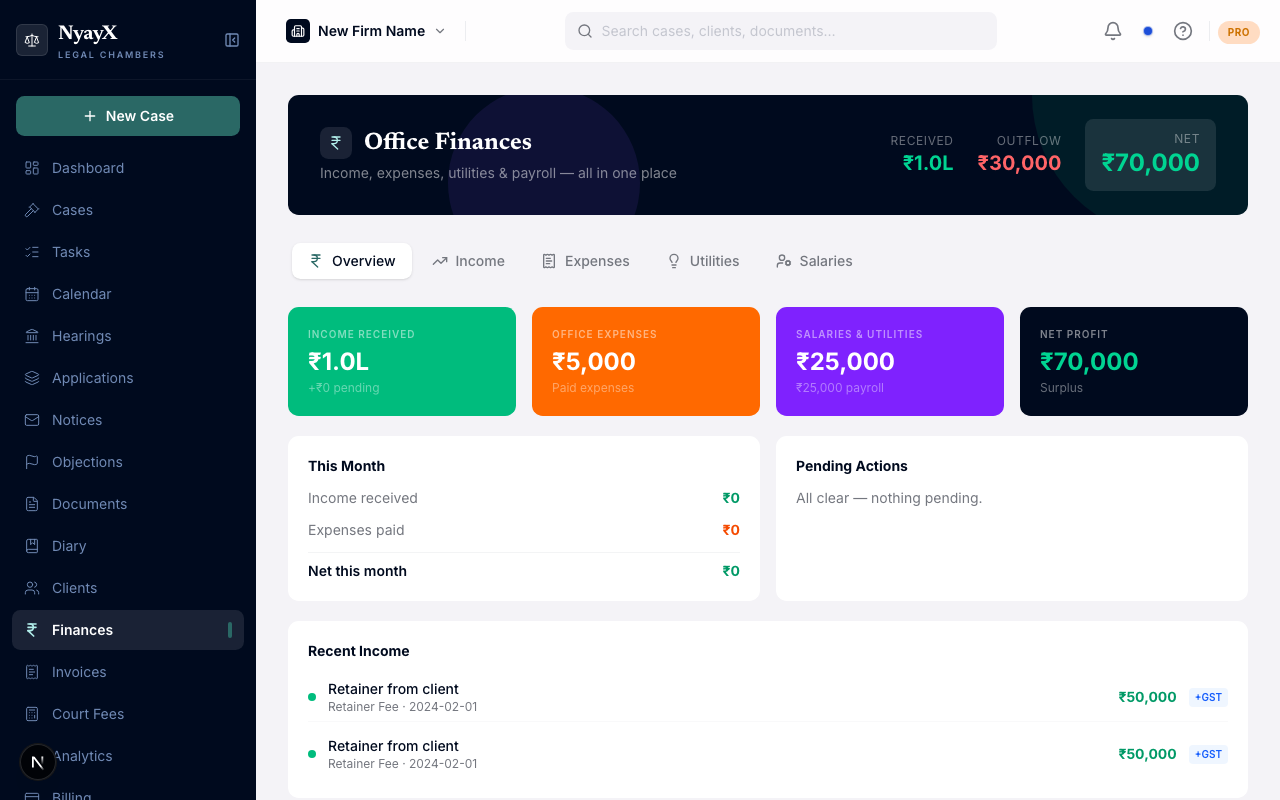
Office Finances, the firm-overhead half of the Finances picture
Office Finances (/finances)
This is what the Finances link in the sidebar opens. It’s built around your firm’s own running costs and income, not client invoices, and is organised into six tabs:
| Tab | What it covers |
|---|---|
| Overview | Stat cards for income received, expenses, payroll & utilities, and net profit, plus a “this month” snapshot and recent activity |
| Income | Manually-logged income entries (retainers, consultation fees, etc.); can optionally link to an invoice so it isn’t double-counted |
| Expenses | A combined view of case-level expenses and office-level expenses |
| Utilities | Electricity, internet, telephone, water, generator bills, with paid/unpaid tracking per month |
| Salaries | Staff roster and monthly salary payments |
| P&L Report | The same Profit & Loss engine as the dedicated Profit & Loss page, embedded inline |
The dark header strip shows Received, Outflow, and Net for all recorded activity, sourced from the same authoritative P&L calculation described in Profit & Loss, so the numbers here always agree with that page.
The rest of the map
A few finance-related tools live outside /finances as their own top-level pages:
| Page | Path | What it’s for |
|---|---|---|
| Invoices | /invoices | Create, send, and collect client invoices |
| Invoice Aging | /invoices/aging | Outstanding receivables by days overdue, plus dunning and periodic billing |
| Court Fees | /court-fees | Delhi court fee calculator: estimate filing/process fees and save them as a billable case expense |
| Office Expenses | /finances/office | The dedicated office-overhead ledger (rent, software, stationery, etc.) plus the GST input-credit queue |
| Reimbursements | /finances/reimbursements | Case expenses a team member paid out of pocket, waiting to be paid back |
| GST & TDS | /gst-tds | GSTR-1-style summary of GST collected, and TDS certificate tracking |
| Profit & Loss | /finances/pnl | A focused, date-range version of the P&L Report tab above |