
Filtering by court & event type
When you practice across several courts and have a busy schedule, the calendar can feel crowded. Use the filter bar between the calendar header and the grid to narrow the view.
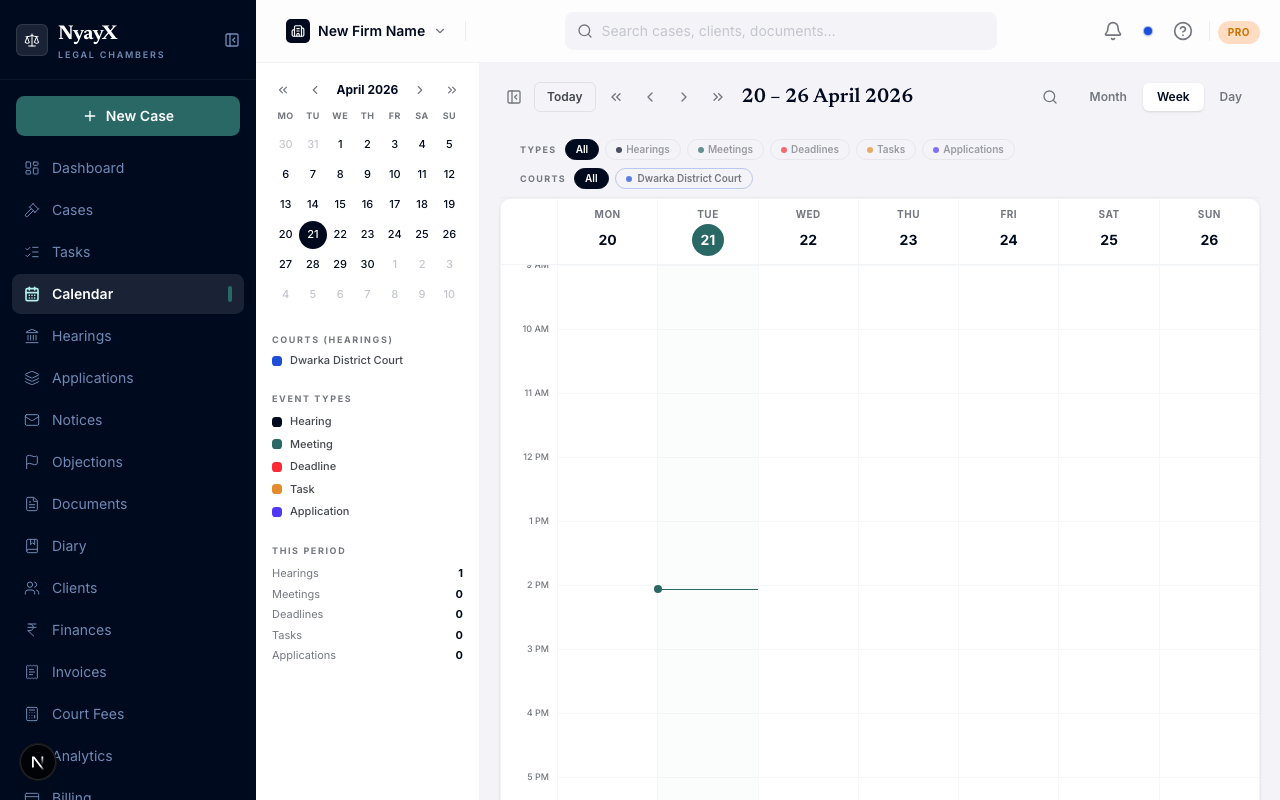
The filter bar sits between the header and the calendar grid
Filtering by event type
The event type row shows a pill for each type: Hearings, Meetings, Deadlines, Tasks, and Applications. Click a pill to show only that type. You can select more than one type at a time. Click All to clear the type filter and show every type again.
Filtering by court
The court row shows one pill per court, tinted with that court’s color. Click a court pill to show only hearings from that court. You can select several courts to see hearings from all of them together.
Court filtering applies to hearings only. Your other events (tasks, deadlines, meetings, and applications) stay visible no matter which courts you have selected, so you never hide an internal deadline by narrowing to a court.
Combining filters
Event type and court filters work together. For example, select Hearings in the type row and two courts in the court row, and the calendar shows hearings from those two courts, plus your tasks and deadlines.
Clearing filters
When any filter is active, a Clear filters link appears on the filter bar. Click it to reset both rows and show everything again.