
Client roster
The Clients page (/clients) lists everyone you act for, gathered from your cases. A client shows up here as soon as their name is on a case, and you can also add a client directly to record contact and KYC details before any case exists.
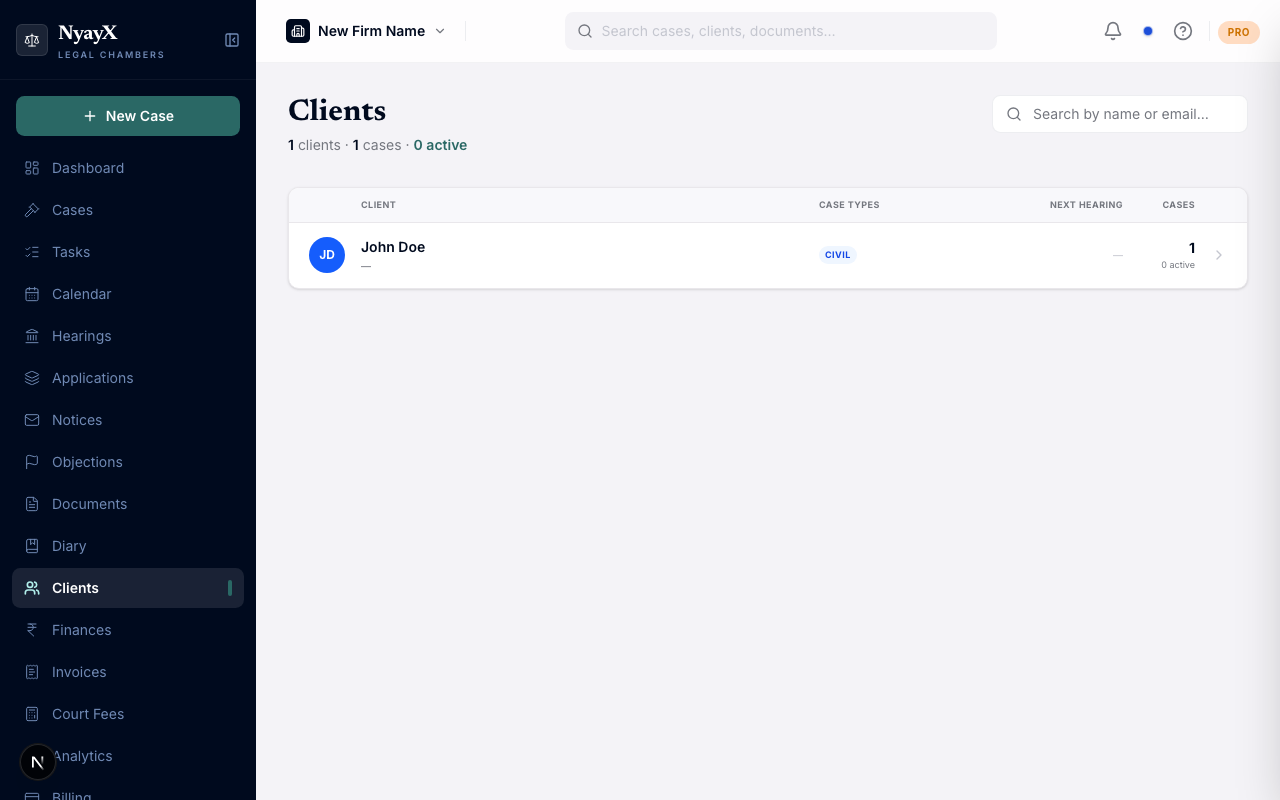
The Clients page, built from the client names on your cases
What the client list shows
Each row shows:
- Client name (with a colored initials avatar)
- Email or contact detail, when on record
- Case-type pills for the kinds of matters they have
- Their next upcoming hearing, with the court
- Their total case count and how many are active
Searching clients
Type in the Search box to find a client by name or email. Results update as you type. The list loads in batches; use Load more at the bottom to pull in additional clients.
Adding a client
Click Add Client on the Clients page. A form opens.
Enter the client’s name (required) and any contact or KYC details you have: email, phone, GSTIN, PAN, address, and notes. NyayX checks the name as you type and, if a matching client already exists, offers to open that client instead so you do not create a duplicate.
The client is added to the roster. You can then link cases to them and keep their communications and KYC in one place.
Adding a client is optional. If you simply put a client name on a case, that name already appears in the roster; the Add Client flow is for capturing contact and KYC details up front.
How clients are grouped
A client is identified by name. NyayX normalizes names before matching, so differences in spacing and capitalization (“Acme Corp”, “acme corp”, ” ACME CORP ”) are treated as the same client. Genuinely different spellings are not merged, so “Rajesh Gupta” and “R. Gupta” still appear as two clients.